
iPhone & iPad · Features
Tally
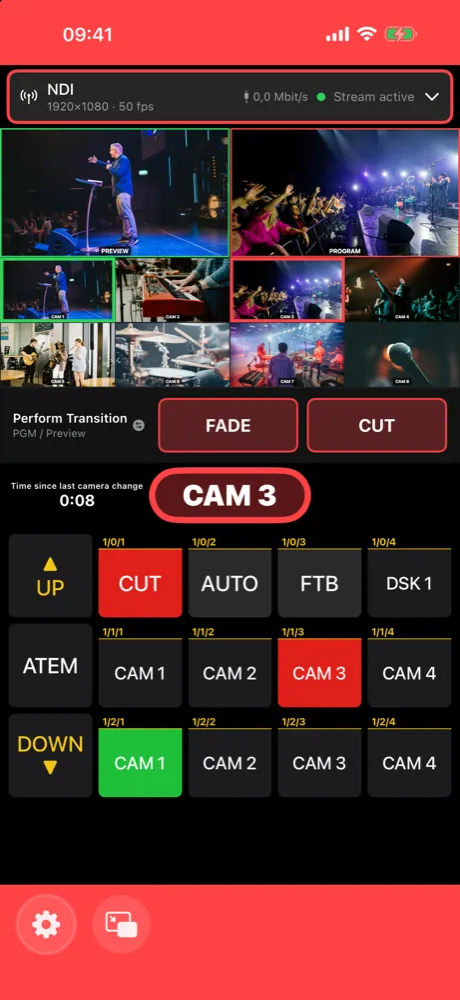
Your iPhone glows red when your camera is on air and green on preview.
With tally you always know at the camera whether you’re live – without looking at the multiview. The iPhone colors its edge red (on air) or green (preview).
Turn it on
- Open Settings → CAMERA OPERATOR TALLY and turn on Enable tally.
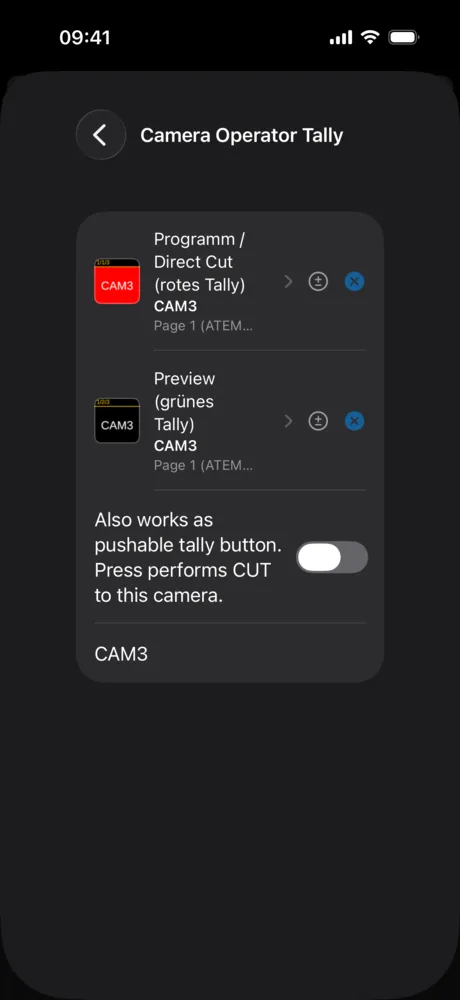
- Open the tally settings and choose two Companion buttons:
- Programm / Direct Cut (rotes Tally) – the button that lights up when your camera is on air (the app shows this label in German).
- Preview (grünes Tally) – the button that lights up when it’s on preview.
- Your camera’s name appears below, e.g. “CAM3”. It’s taken from the button text.
Tally needs live buttons from Companion 4.3 or newer – see Connect Companion. The two buttons must be different.
Pushable tally
Turn on Also works as pushable tally button. Press performs CUT to this camera. and you can tap the tally display to cut to your camera. Handy when you’ve got a great shot.
What if my camera is already live?
Under When pressed while on air you choose:
- Fixed source – switches to a source you set (e.g. the wide shot).
- Last used source – switches back to the camera that was on before.